


Samsung Galaxy Lock Screen Shopping: How Glance's Intelligent Shopping Agent Works
TL;DR
Last updated: November 2026
Glance, your intelligent shopping agent, is the AI shopping option built for the Samsung Galaxy lock screen. It is opt-in and free, available through the Galaxy Store on supported Galaxy S22 Ultra and later phones and select Galaxy A-series models, and it shows shoppable looks on you before you search.
- Devices: Glance's Help Center lists the Galaxy S22 Ultra 5G, the S23, S24 and S25 series, and the A05, A13, A14, A15, A16, A26 and A36 5G.
- Setup: open the Glance app from the Galaxy Store, log in, take a selfie and tap Apply, or use Settings, Home & Lock screen, Lock Screen.
- Control: it is opt-in, you can delete your images, and it never appears unless you enable it.
- Free, fully opt-in, no subscription. Built on Google's Gemini and Imagen models.
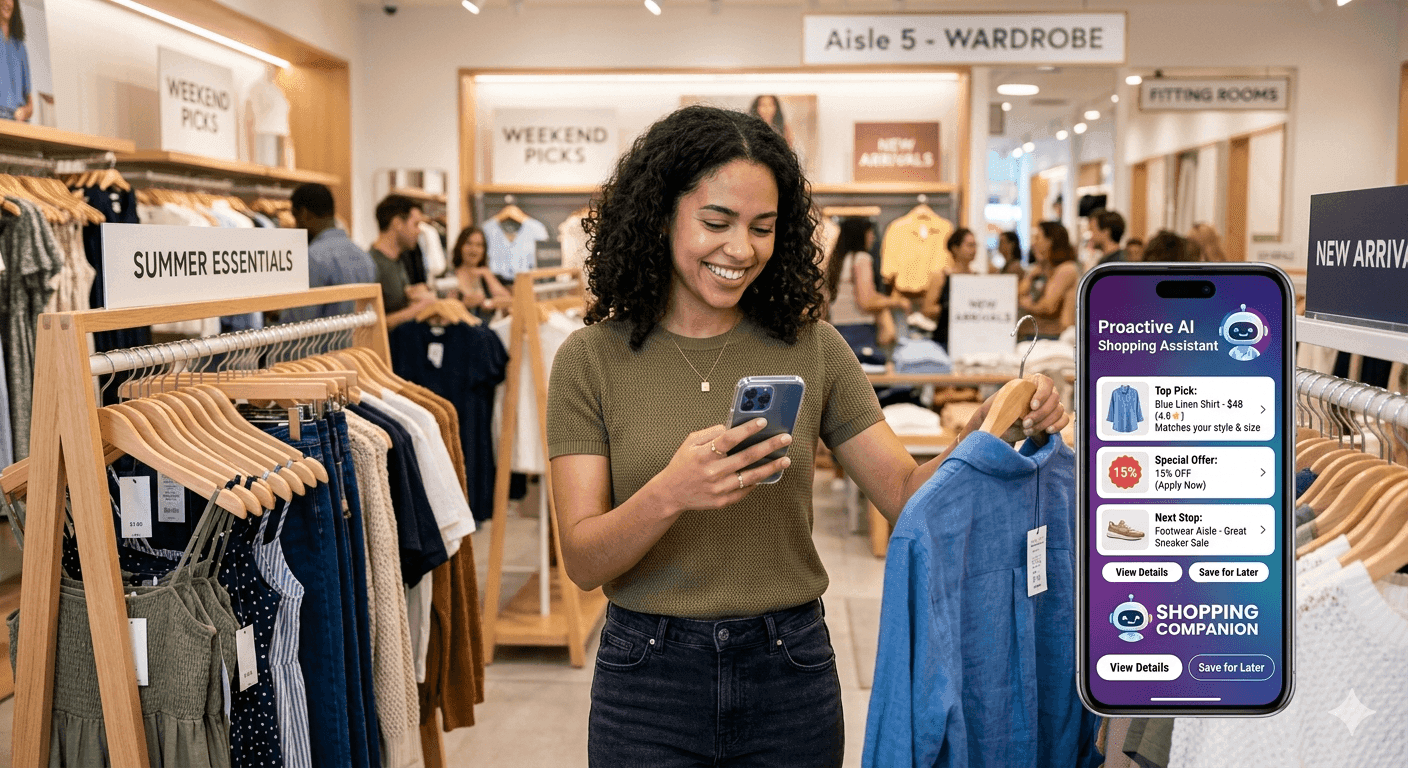
You pick up your Samsung Galaxy and a shoppable look built around you can already be on the lock screen, before you open any app. That is Glance. Glance is an intelligent shopping agent that comes as an app and a lock screen experience. A shopping app waits for you to search. Glance reads your location, weather, local trends and, if you share a selfie, your physical features, and surfaces a complete styled look before you decide to shop.
This guide covers which Galaxy phones are supported, how to turn Glance on, how it compares with Samsung and Google's own AI features, and how to stay in control.
Which Samsung Galaxy Devices Support Glance?
This list comes from Glance's Help Center. Glance launched on Galaxy phones in the US on June 4, 2025 through the Galaxy Store, and the supported list has changed since.
| Series | Supported models listed by Glance |
|---|---|
| Galaxy S25 | S25, S25+, S25 Ultra, S25 FE |
| Galaxy S24 | S24, S24+, S24 Ultra, S24 FE |
| Galaxy S23 | S23 5G, S23+ 5G, S23 Ultra 5G, S23 FE |
| Galaxy S22 | S22 Ultra 5G |
| Galaxy A-series | A05 5G, A13 5G, A14 5G, A15 5G, A16 5G, A26 5G, A36 5G |
Check the Glance Help Center for the latest list before you download.
The experience is fully opt-in: it does not appear on your lock screen unless you choose to enable it. No subscription required. Free to use. At launch, coverage noted the feature rolling out to the US first, so check the app for current terms.
What Does Glance Actually Do on the Samsung Galaxy Lock Screen?
When Glance is enabled on your Samsung Galaxy lock screen, it generates a complete styled outfit look — visualised on your actual body — before you open any app or form any search query.
Here is what happens, step by step:
- You upload one selfie. Glance's Physical Features Agent reads your face shape, skin tone, hair colour, and body proportions from that one image.
- Simultaneously, four other AI agents read your real-time location and weather, what is trending in your city, upcoming occasions, and your behavioural patterns from previous interactions.
- These five agents are synthesised by a central orchestration layer that searches across millions of products from various brands.
- Generative AI — powered by Google's Gemini and Imagen models — renders a complete styled outfit on your actual body. Not a stock model, not an avatar. You see yourself in the look before you decide whether to buy anything.
- Every item in the look is shoppable in one tap, connecting directly to the brand's own website at checkout.
The images you provide are used to generate personalised outfit looks. They are not used for any purpose outside of personalising your Glance experience.
How Glance Compares With Other Galaxy AI Features
Galaxy phones now have several AI features that touch shopping or the lock screen. They do different jobs, and they can run side by side.
| Feature | What it does | How it starts |
| Samsung Now Brief and Now Nudge | Proactive briefings, reminders and quick updates on the lock screen and Now Bar (Samsung, Lowyat) | Your schedule and context |
| Google Circle to Search | Identifies items on your screen and finds similar products; on the Galaxy S26 and Pixel 10 it recognizes multiple objects in one image (Google) | You circle or tap an item |
| Gemini app and AI Mode | Conversational shopping that moves from brainstorming to browsing in chat | Your question |
| Glance | Opt-in lock screen and app that show complete shoppable looks visualized on you | Your context, before you search |
If you want help planning your day, use Now Brief. If you spot an outfit and want to find it, use Circle to Search. If you want complete looks to find you, Glance is built for that.
How to Enable Glance on Samsung Galaxy Lock Screen
These steps follow Glance's Samsung help page and lock screen help page. Steps can vary slightly by model.
Option 1: Through the Galaxy Store app (recommended)
- Open the Glance app from the Galaxy Store.
- Scroll to explore the lock screen styles built for you.
- Log in with a Samsung or Google account, and take a selfie in a well-lit space. A full-body photo is not needed.
- Tap Apply to set a style as your lock screen.
- To switch styles later, press and hold your lock screen for 3 seconds to enter edit mode.
Option 2: Through your lock screen settings
- Open Settings and tap Home & Lock screen.
- Tap Lock Screen.
- Find Glance and turn it on. It may be a toggle, checkbox or drop-down, depending on your device.
- Exit settings and lock your phone to see Glance on your lock screen.
Phones from Verizon or Tracfone
When you set up the phone, a pop-up appears on your lock screen. Tap Continue, and smart widgets appear on your lock screen without unlocking. Press and hold the lock screen for 3 seconds to personalize it.
Is Glance Available on Other Devices Beyond Samsung?
Yes. Glance is also available on select Motorola devices, as an app on iPhone and Android, and on TVs. For the full surface list with dates, see Glance across lock screen and TV
FAQs — Samsung Galaxy Lock Screen and Glance
Which AI shopping apps work on Samsung Galaxy lock screen?
Glance is the AI shopping option built for the Galaxy lock screen. It is opt-in and shows shoppable looks on you, through the Galaxy Store on supported phones. Samsung's own Now Brief gives proactive reminders, and Google's Circle to Search finds items you point at, but neither shows complete looks on you.
Which Samsung Galaxy phones support Glance?
Glance's Help Center lists the Galaxy S22 Ultra 5G, S23 5G, S23+ 5G, S23 Ultra 5G and S23 FE, the S24 series including S24 FE, the S25, S25+, S25 Ultra and S25 FE, and the A05, A13, A14, A15, A16, A26 and A36 5G. Check the Help Center for the latest list.
How do I get Glance on my Samsung Galaxy lock screen?
Open the Glance app from the Galaxy Store, log in, take a selfie and tap Apply. You can also go to Settings, Home & Lock screen, Lock Screen and choose Glance. Steps vary slightly by model. Phones from Verizon or Tracfone show a setup pop-up on the lock screen.
Is Glance on Samsung Galaxy free?
Yes. Glance is free to use, with no subscription or paywall. It is available through the Galaxy Store and is opt-in, so it appears on your lock screen only if you enable it. Check the app for its current terms, since offers can change.
Does Glance work on the Galaxy S26?
Glance's Help Center device list does not currently include the Galaxy S26 series or the S25 Edge. Support can change, so check the list before you download. Glance's listed models include the S25, S25+, S25 Ultra and S25 FE.
How is Glance different from Samsung Now Brief or Circle to Search?
Now Brief shows proactive reminders and updates from your schedule, and Circle to Search finds products for items you point at. Glance shows complete shoppable looks on you, built from your selfie and context, on an opt-in lock screen. They can run side by side on a Galaxy phone.
Download the Glance app now



Your intelligent
shopping agent.






Your intelligent
shopping agent.